
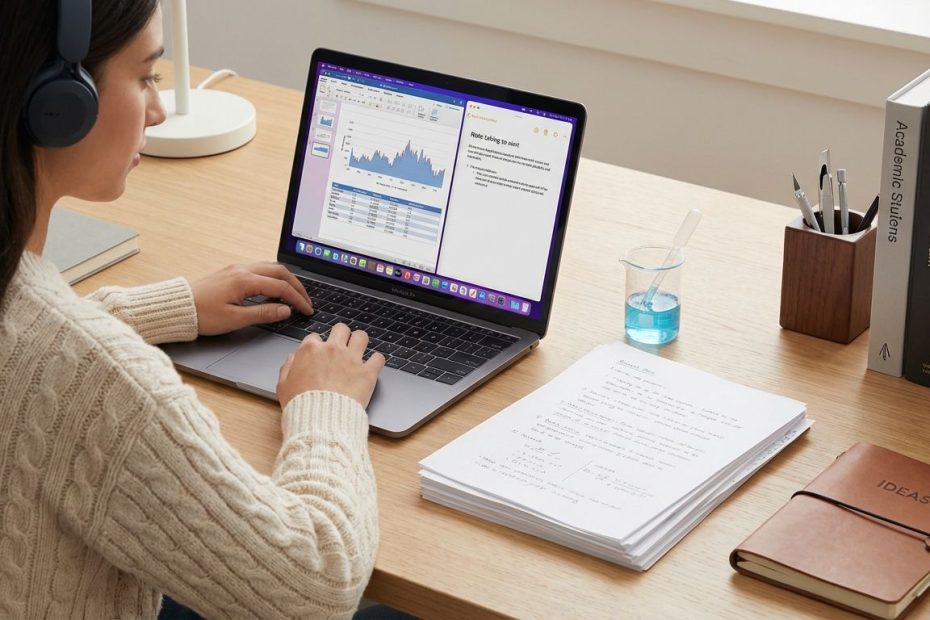
STEM majors need more than a notes app. You need a system that can capture papers, manage citations, store lab records, connect ideas, and stay usable when coursework, experiments, and team projects all pile up at once.
The strongest setup usually combines a reference manager, an idea workspace, and a lab notebook instead of forcing one app to do every job. This article breaks down seven tools that stand out for research tracking, lab organization, paper reading, annotation, collaboration, and idea management, so you can build a workflow that stays fast under pressure.
1. Zotero
Zotero earns the top spot because it solves the most common research pain points in one place. If you need to collect journal articles, save portable document format files, highlight them, attach notes, sort sources into collections, and generate citations without paying for an expensive subscription, this is the tool that usually gives you the best return on effort.
For STEM students, that matters immediately. You are often juggling lecture notes, problem sets, lab readings, literature reviews, and early research assignments at the same time. A tool that keeps your references attached to the actual paper instead of scattering them across tabs and folders saves hours over the course of a semester.
Zotero is especially strong for writing-intensive academic work. It supports bibliography creation and citation insertion in Microsoft Word, LibreOffice, and Google Docs, which means you can move from collecting sources to drafting a report without rebuilding your references manually. That alone removes one of the most tedious parts of research writing.
The organizational structure is also practical. You can group sources by course, project, adviser, lab topic, or experiment stream, then add tags and notes that make retrieval much faster later. That matters more than students usually expect, since the real bottleneck in research is rarely finding one paper once. It is finding the right paper again weeks later, with your notes still attached and your citation ready.
Another advantage is device flexibility. Zotero supports mobile reading and library syncing, which helps when you move between a laptop in class, a tablet in the library, and a phone during downtime between lab sessions. When annotations sync cleanly, your reading workflow stays intact instead of breaking every time you switch screens.
If your workflow starts with papers and citations, Zotero is usually the anchor tool. It does not replace a dedicated lab notebook or a full project dashboard, but it gives you a strong foundation for source management, academic writing, literature review work, and team reference sharing. For many STEM majors, that makes it the best first tool to set up.
2. LabArchives
LabArchives belongs on this list because general note apps are not designed for formal lab records. If you need to track experiments, organize procedures, preserve observations, and maintain searchable documentation over time, a dedicated electronic lab notebook gives you structure that a standard document tool usually cannot match.
That difference becomes obvious as soon as lab work gets more serious. A simple notes page may be enough for a basic course exercise, but it falls apart when you need timestamped records, repeatable protocols, attachments, instructor review, or team access. LabArchives is built for that environment, which makes it useful for STEM majors working in teaching labs, undergraduate research programs, or supervised project settings.
Its education positioning is one reason it stands out. The platform is used in academic environments where instructors need visibility into student lab work, submissions, and progress. That makes it more than a private notebook. It becomes part of how a course or lab group can manage records in a cleaner, more searchable way.
Searchability is one of its biggest strengths. When your notes are tagged and organized by project, method, or experiment type, you stop wasting time scrolling through long pages looking for one result or one setup detail. Retrieval becomes fast, which improves repeatability and reduces avoidable errors.
LabArchives also fits students who need to move from paper-based habits into a digital workflow without losing structure. It supports the discipline that lab work demands. You record what happened, where it happened, what materials were involved, and how the result connects to earlier work, all in a format that is easier to revisit and share.
If your priority is tracking lab activity rather than building a second brain for class notes, LabArchives is one of the strongest choices available. It is purpose-built for experiments, records, and course-linked lab management, which gives it a clear role that general planning tools do not fill well.
3. SciNote
SciNote is a smart choice when your work sits closer to active research than classroom note-taking. It functions as an electronic lab notebook, but it also pushes further into project structure, task tracking, protocol management, and lab operations. That makes it useful for students working in research groups that need more than a digital substitute for a paper notebook.
The real value here is how SciNote organizes work into projects, experiments, and tasks. That structure mirrors how research actually unfolds. You are not just collecting isolated notes. You are linking actions, methods, files, results, and follow-up work inside a system that keeps the research process visible.
For a STEM major, that can reduce confusion fast. Research work often becomes messy when experimental planning lives in one app, protocol notes live in another, and supporting files are buried in shared folders. SciNote helps pull those moving parts into one operational record, which is useful when a project spans weeks or months and multiple people need to stay aligned.
Its search function also matters. Once files, notes, and projects start to pile up, speed depends on retrieval. A platform that lets you search across experiments and attachments supports better continuity, especially when you are revisiting old work before a meeting, a report, or a replication run.
SciNote also appeals to students who want a system they can keep using as research responsibilities increase. Some tools feel good in a classroom and weak in a working lab. SciNote is built with a more serious research environment in mind, which gives it longer-term value for students headed toward graduate study, thesis work, or lab-heavy capstone projects.
If LabArchives feels more education-centered, SciNote feels more research-operational. That difference matters when you are choosing tools based on how formal, collaborative, and process-driven your lab work really is. For hands-on research tracking, SciNote earns its place near the top of the list.
4. Notion
Notion works best when your biggest problem is not a pile of papers or formal lab records, but a flood of moving parts. Courses, deadlines, readings, meeting notes, project plans, reminders, task boards, literature trackers, and idea lists can all sit inside one organized workspace. That makes Notion a strong control center for STEM majors who need visibility across academic and research work.
Its strength is structure. You can build dashboards for classes, databases for readings, pages for group projects, and trackers for experiments or application deadlines. That flexibility is why many students use it as the place where planning happens, even when a separate app handles citations or laboratory documentation.
For STEM workflows, Notion is useful when you want to connect planning with execution. You can keep a project page for a lab course, link it to task lists, attach meeting notes, store deadlines, and maintain a reading queue in the same environment. That setup reduces the friction that comes from jumping across too many disconnected tools during a busy week.
It is also effective for collaborative work. Group assignments, research teams, and student organizations often need shared pages that are easy to update and easy to understand. Notion handles that well, which is why it often becomes the shared operations layer even when a reference manager or lab notebook handles more specialized work.
There are limits, and they matter. Notion is not a citation manager. It is not a true electronic lab notebook. It can imitate parts of those workflows, but once you need formal source handling or structured experiment records, it is usually smarter to pair Notion with a more specialized tool than to force it into a role it was not built to own.
Used correctly, Notion is the place where your academic work becomes visible and manageable. It is especially valuable if you think in projects, want clear dashboards, and need one home base for planning, tracking, and organizing the work around your research rather than the research files themselves.
5. Obsidian
Obsidian is built for a different kind of student mind. If you think in connections rather than dashboards, if your research ideas branch into linked concepts, and if you want notes that behave more like a knowledge network than a stack of pages, Obsidian can become one of the most useful tools in your system.
Its real strength is linked note-taking. You can connect course concepts to paper summaries, attach research questions to method notes, and build a long-term body of knowledge that stays searchable and internally connected. For STEM majors working through dense theory, literature-heavy topics, or interdisciplinary material, that structure can sharpen how ideas are stored and retrieved.
Obsidian also appeals to users who want more control over their files. It is known for a local-first model, which means your notes live as files you can manage rather than being trapped inside a rigid cloud-only interface. That gives many students a stronger sense of ownership and portability, especially if they care about maintaining a long-term research archive.
This tool is particularly strong for reading notes and synthesis work. You can create a note for a paper, link it to a concept note, connect that to a thesis idea, and keep building from there. Over time, that web of notes becomes more valuable than any one document because it helps you remember how ideas relate rather than just where they were stored.
Obsidian is not the easiest option for everyone. It rewards students who are willing to think intentionally about note structure and linking. If you want instant templates and a ready-made dashboard, Notion may feel easier at first. If you want a durable knowledge base that grows with your thinking, Obsidian usually offers more depth.
For tracking ideas, research themes, and concept development, Obsidian is one of the best tools available. It works especially well beside Zotero, since Zotero can manage the papers and citations while Obsidian turns your reading into connected thinking you can actually use later.
6. Paperpile
Paperpile stands out for students who live inside Google Workspace. If your drafting happens in Google Docs, your files sit in Google Drive, and your academic life already runs through browser-based tools, Paperpile can feel faster and more natural than a traditional desktop-first reference manager.
Its value starts with paper management. You can collect references, organize them cleanly, read and annotate portable document format files, and keep your library synced across devices. That makes it useful for students who read on a tablet, store files in the cloud, and write on a laptop without wanting to rebuild the workflow at every step.
Paperpile also handles collaboration well. Shared folders and shared libraries help lab teams, coauthors, and project groups keep references in one place with permissions that fit different roles. That matters when a literature review or team manuscript starts to grow and somebody needs to know which sources are final, which notes are shared, and which papers still need review.
Another practical advantage is that annotations remain tied to the portable document format file in a way that works smoothly across devices and viewers. That helps if you switch between reading environments or need your notes to travel with the file instead of staying locked in one app view. In real student workflows, that kind of portability makes a difference.
Paperpile is not usually the best low-cost default for every student, which is why Zotero often gets the broader recommendation. Still, for Google-centered users, Paperpile can feel more streamlined from day one. It reduces friction between source collection, reading, annotation, and writing, which is what many students care about most.
If your workflow is cloud-based, collaborative, and centered on Google Docs and Google Drive, Paperpile deserves serious attention. It is one of the strongest tools for cross-device paper reading and team-friendly reference management, and it fits modern student habits better than many older citation tools.
7. Consensus
Consensus earns the final spot because research tracking does not start with storage. It starts with discovery. If you cannot find relevant papers quickly, your note system and citation library never get the right inputs. Consensus helps at the front end by making paper discovery faster for students who search in natural language rather than database syntax.
That makes a real difference in STEM education. Many students know what they want to ask but not how to phrase it in formal academic search language. A question-led tool can shorten the distance between curiosity and useful sources, which is especially helpful early in a project when you are mapping the field rather than refining a final bibliography.
Consensus is useful for identifying relevant studies, scanning summaries, and narrowing a search before you commit to deep reading. That speed can save time during topic exploration, literature review preparation, and early-stage project planning. It helps you move from a broad question to a focused set of papers that deserve full attention.
Still, it should be used in the right role. Discovery tools are not replacements for close reading, structured note-taking, or citation management. Once you find promising papers, you still need a system like Zotero or Paperpile to store and annotate them, and you may still need a separate workspace like Obsidian or Notion to connect the ideas that come out of your reading.
Consensus works best upstream. It helps you search smarter, filter faster, and reduce wasted time on weak or irrelevant results. For STEM majors who regularly ask, “Where do you even start with the literature?” this kind of tool can remove early friction and speed up the path to solid sources.
In a modern research stack, that role matters. You do not need every tool to do everything. You need each tool to do one critical job well. Consensus earns its place by improving the paper-finding stage, which strengthens the rest of your workflow from the beginning.
How To Choose The Right Tool Stack For Your Workflow
The smartest move is not picking a winner in the abstract. It is matching tools to the type of work you actually do every week. If most of your time goes into reading papers and writing reports, start with a reference manager. If your workload is scattered across classes, research meetings, and planning tasks, add a workspace tool. If you spend serious time running experiments, implement a true electronic lab notebook.
A simple three-part stack works well for most STEM majors. Use Zotero or Paperpile for papers and citations, Notion or Obsidian for ideas and project organization, and LabArchives or SciNote for formal lab records. That structure keeps each tool in its strongest lane and reduces the clutter that builds up when one app is forced to handle everything poorly.
You should also choose based on collaboration habits. If your lab shares protocols and experiment records, an electronic lab notebook matters more than a personal note app. If your team mostly shares readings and drafts, a reference manager with group features may carry more weight. If most of your work is solo but idea-heavy, linked notes may be worth more than formal dashboards.
Device behavior matters too. Students who read on tablets, annotate on phones, and draft on laptops need seamless syncing and strong portable document format handling. Students who work mostly at one desk may care more about customization, local storage, or writing integrations. Tool choice gets much easier when you stop asking which app is best overall and start asking which app removes your biggest bottleneck.
What STEM Students Usually Get Wrong About Research Organization
The most common mistake is chasing a perfect all-in-one system. That usually creates a setup that looks organized for a week and becomes hard to maintain by midterm. Research work includes different types of information, and those types do not always belong in the same tool. Papers, citations, project planning, raw ideas, and lab records each have different demands.
Another mistake is organizing for appearance instead of retrieval. Fancy templates and polished dashboards feel productive, but they do not help much if you cannot find a method note, recover a paper annotation, or track the history of an experiment. Searchability, naming conventions, and clean structure matter more than visual polish once the workload grows.
Students also separate notes from sources too often. A note about a paper is less useful when it lives far away from the paper itself. That is why tools that attach annotations, comments, and metadata directly to references tend to hold up better over time. Your future self needs context, not just fragments.
The last mistake is delaying system setup until things become chaotic. Research organization works best when you implement it early and keep it simple. A clean stack with clear roles beats a late-semester rescue attempt built on twenty open tabs and five half-used apps.
Best Tool Combinations For Common STEM Use Cases
If you are an undergraduate handling coursework, reading assignments, and a light research load, Zotero plus Notion is a strong starting combination. Zotero keeps papers, citations, and reading notes organized. Notion handles schedules, tasks, course dashboards, and project pages without adding much complexity.
If you are in a lab and need proper experiment tracking, combine Zotero with LabArchives or SciNote. Zotero manages the literature that supports your work, while the electronic lab notebook records what actually happened in the lab. That split keeps source management separate from experimental records, which is exactly what most serious lab workflows need.
If your work is concept-heavy and writing-intensive, pair Zotero with Obsidian. Zotero stores and cites the research. Obsidian turns your reading into linked notes, idea chains, and topic maps you can use for reports, thesis chapters, and long-term research development.
If your environment runs through Google tools and collaboration is constant, Paperpile plus Notion can work well. Paperpile handles shared references and portable document format reading. Notion gives your team a place to manage deadlines, meeting notes, reading queues, and project coordination. The right pairing depends less on popularity and more on how your work actually moves.
What Is The Best Tool For STEM Students To Track Research?
- Zotero is the best all-around starting tool for tracking papers, citations, and reading notes.
- LabArchives or SciNote fit lab records and experiments.
- Notion or Obsidian fit idea tracking and project organization.
Build A System You Will Still Trust At Finals
The best research workflow is the one that keeps your papers searchable, your lab work documented, and your ideas connected when deadlines close in. Zotero leads the list because nearly every STEM major needs a dependable source and citation system, but the strongest overall setup usually adds a workspace tool like Notion or Obsidian and a lab-focused platform like LabArchives or SciNote when experiments enter the picture. Paperpile is a strong fit for Google-centered workflows, and Consensus adds speed at the paper-discovery stage. If you match each tool to a specific job instead of chasing an all-purpose solution, your system stays cleaner, faster, and easier to maintain across courses, labs, and long research projects.
References
- Zotero Documentation: Creating Bibliographies
- Zotero Documentation: iOS App
- LabArchives: ELN for Education Introduction and Subscription Plans
- SciNote Electronic Lab Notebook
- Notion Workspace Refresh for an Organized 2026
- Obsidian Roadmap
- Paperpile Features Overview
- Paperpile Help Center: Work With Shared Folders
- Consensus Responsible Artificial Intelligence Resource
- OpenAlex Developers Overview
- Microsoft Support: Getting Started With the OneNote Web Clipper
- Reddit: Best System You’ve Found for Keeping Your Files Organised?
- Reddit: Suggestions for a Good Lab Notebook During PhD?
- Reddit: Do You Use a Program or App to Read Papers and Take Notes?
- Reddit: How Do I Keep Organized?

Chrysilios Chrysiliou is a commercial real estate executive at RDPH Properties, Inc. with a diverse background in aviation and entrepreneurship. A former Greek Air Force Academy graduate, flight instructor, and flight school co-owner, he now leverages decades of strategic leadership to identify and develop high-value real estate opportunities.