
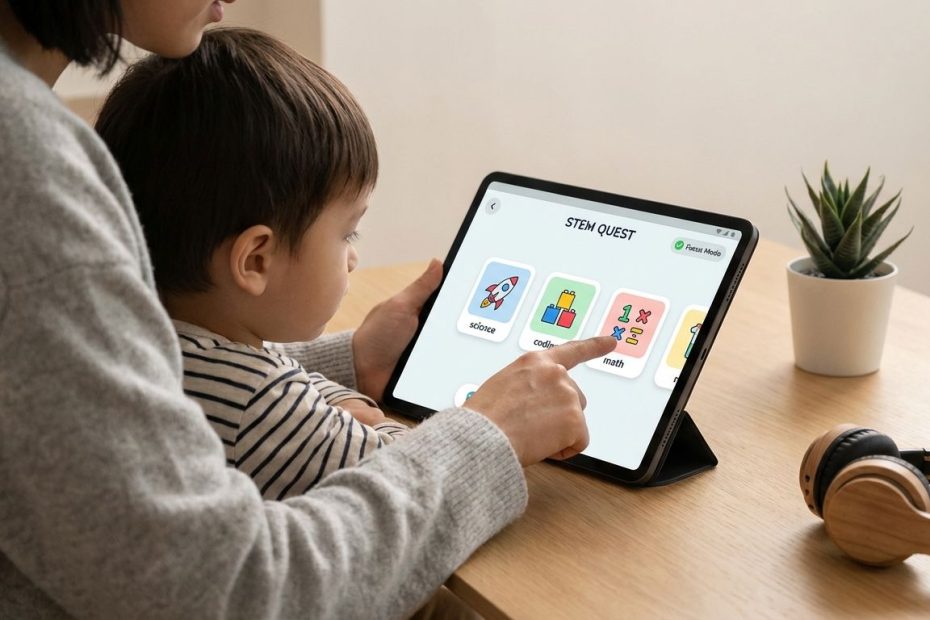
Time-efficient STEM learning apps exist, you just need ones that tie “game” mechanics to real skill building: short lessons, instant feedback, and a clear progression that stops you from wandering.
This guide gives you six apps that consistently deliver focused math, science, and coding gains without turning practice into endless tapping. You’ll leave with a clean way to pick the right app by age and goal, set guardrails that prevent time-waste, and build a weekly routine that produces measurable progress.
1. Brilliant (Math, Science, Computer Science)
Brilliant earns a spot on any serious shortlist because it makes you solve problems, not watch them get solved. That distinction matters when time is tight: the fastest path to competency is active recall plus immediate correction, and Brilliant leans hard into that.
You’ll notice the pacing right away. Lessons are built to fit into short sessions, and the interface constantly pushes you to answer, adjust, and move forward. That cuts out the “I watched a video so I must understand it” trap, and it also reduces the temptation to wander into unrelated content.
Use Brilliant when the learner is old enough to read comfortably and can tolerate productive struggle. It’s a strong match for middle school, high school, college, and adult learners who want clearer intuition in algebra, probability, logic, physics, and core CS ideas without committing to hour-long blocks.
Time-saving setup that works: lock a simple rule: one lesson per day or a fixed 10–15 minutes, stop immediately when the timer ends, and resume tomorrow. Progress stays steady, motivation stays high, and you avoid the late-night “one more problem set” spiral that burns attention for the next day.
What to watch for: if a learner clicks rapidly to “get through it,” slow the pace. Brilliant only pays off when answers reflect thinking, and the app’s value drops fast if speed becomes the game.
2. DragonBox Math (Numbers, Big Numbers, Algebra, Geometry)
DragonBox succeeds where many “math games” fail: it starts playful, then steadily moves you toward real symbols and real procedures. That transition is the difference between entertainment and instruction, and it’s why these apps are so often recommended by parents who care about learning outcomes.
DragonBox also respects attention. The gameplay is direct, levels are short, and the reward loop is tied to completing meaningful actions. You’re not funding a virtual wardrobe, you’re building a mental model of number sense or equation solving.
For algebra, DragonBox is especially practical because it teaches the process of isolating variables without front-loading intimidation. Early levels feel like puzzles, then the app gradually reveals that you’ve been doing legitimate algebra moves all along. That “quiet ramp” can shrink resistance in learners who already think they’re “bad at math.”
Time-saving setup that works: run DragonBox in two modes. Mode A is skill acquisition: 10 minutes daily, no skipping levels, no rushing. Mode B is reinforcement: two short sessions per week revisiting earlier levels at higher speed. That combination builds accuracy first, then fluency.
What to watch for: if the learner gets stuck and starts guessing, pause. Ask for one sentence about what changed on the screen and why. That one sentence is enough to re-engage thinking without turning the app into a lecture.
3. Duolingo Math (Quick Practice With Strong Habit Mechanics)
Duolingo’s math offering is useful when the main goal is consistency. If you’ve already seen Duolingo work for language habits, the same loop applies here: streaks, quests, short exercises, and low friction entry. It’s built to remove excuses, which is valuable when math practice keeps slipping.
Duolingo brought its updated Math course into the flagship app on November 9, 2023, positioning math alongside music and language so learners can switch subjects without switching apps. That matters for time management because fewer apps means fewer distractions and fewer “setup steps” before practice starts.
Practically, Duolingo Math fits best as a daily warm-up, not as the only math tool. Use it to keep arithmetic, estimation, and mental math sharp, then pair it with a deeper app when the learner needs concept building or multi-step reasoning.
Time-saving setup that works: define a “minimum viable session.” One lesson is enough, stop. The point is not volume, it’s keeping the habit alive without negotiating every day. If motivation is strong, add a second lesson, but keep the default small.
What to watch for: streak obsession can push speed over accuracy. Put accuracy first, and treat streaks as a bonus, not the goal.
4. Khan Academy Kids (Early STEM Foundations With Fewer Distractions)
Khan Academy Kids is a strong choice when you need structure, simplicity, and low distraction for young learners. It’s designed for early childhood, and it focuses on foundational skills that later STEM success depends on: early numeracy, pattern recognition, counting, and early reading that supports word problems later.
The biggest “time-waste” risk with younger kids isn’t usually the kid, it’s the environment. Ads, pop-ups, and “watch this next” mechanics can turn five minutes into a wandering session that teaches nothing. Khan Academy Kids keeps the experience focused, which makes it easier to hand a device over without constant adult intervention.
Use this app when the learner is still building comfort with numbers and basic logic. It also works when you need a calm routine: a predictable, repeatable daily block that doesn’t require you to constantly pick lessons.
Time-saving setup that works: build a consistent cue. Same chair, same time, same short duration, then stop. Young learners respond to routine, and routine reduces the “one more game” negotiation.
What to watch for: if the child taps randomly, reduce session length and sit nearby for the first week. The goal is to train attention, then independence.
5. ScratchJr (Coding Logic For Ages 5–7 Without Busywork)
ScratchJr works because it makes the learner a creator. Instead of grinding questions, your child builds a small program by snapping blocks together, then sees immediate output. That “build, run, fix” cycle teaches sequencing, cause and effect, and early debugging, which are core computing skills.
The time-saving advantage is that ScratchJr doesn’t need long sessions to deliver value. A single short project can teach a clear concept: loops, movement, ordering, and event-like behaviors. You can stop at a natural endpoint without feeling like you interrupted a lesson in the middle.
Use ScratchJr when you want STEM learning that’s active but not noisy. It’s also useful for kids who resist math practice, because coding logic can build the same mental muscles in a different wrapper: patterning, decomposition, and attention to detail.
Time-saving setup that works: set a project constraint. One character, one background, one goal, stop when it works. Constraints prevent endless decorating, which is where time often disappears.
What to watch for: if a child gets stuck, avoid taking the device. Ask what they want the character to do first, then second. That keeps the child driving the logic.
6. PhET Simulations (Hands-On Science And Math With Real Experiment Feel)
PhET is the gold standard for interactive simulations in many classrooms because it lets learners manipulate variables and see outcomes. That style of learning saves time because it builds intuition fast. A well-chosen simulation can replace pages of explanation by making cause and effect visible.
The iPad app packages PhET’s HTML5 simulations into a single place and supports offline use, which is a major advantage for focused learning. Offline mode removes the “device drift” problem where a quick science session turns into unrelated browsing.
Use PhET when a learner needs to understand a system: circuits, atoms, energy, forces, fractions, graphing, probability, and more. It also fits well for tutoring or homework support because you can use a sim to diagnose the misunderstanding quickly, then lock in the correct mental model.
Time-saving setup that works: enter with one question. “What happens to X when you change Y?” Run the sim for 8–12 minutes, write a one-sentence result, stop. That single sentence is your proof of learning and your anchor for later review.
What to watch for: free exploration can turn into random clicking. Add a small task: change one variable at a time and state what changed on the screen.
How You Avoid “Gameplay Taking Over” With STEM Apps
You don’t need complicated rules to prevent time-waste. You need two guardrails: a clear stop condition and a clear success metric. The stop condition can be time-based, problem-based, or lesson-based, and the success metric should be visible without debate.
Time-based rules work well for habit apps: 10–15 minutes, stop. Problem-based rules work well for practice: 12 problems with 90% accuracy, stop. Lesson-based rules work well for structured apps: one lesson completed with no rushing, stop.
Track outcomes in the simplest way possible. Put a sticky note on the desk: date, app, what got completed. This takes under 20 seconds and it prevents the most common failure mode: repeating easy content because it feels good, then stalling on real progress.
How You Choose The Right App By Age And Goal
Picking the right app is less about the app store ranking and more about matching cognitive load. Young learners need simple interactions, minimal reading, and predictable pacing. Older learners can handle abstract symbols, longer chains of reasoning, and deliberate struggle.
Use DragonBox and Khan Academy Kids when the priority is foundational math and confident number sense. Use ScratchJr when the priority is logic, sequencing, and early problem-solving habits. Use Brilliant when the priority is deep understanding and transfer, the ability to apply concepts to new problems.
Use Duolingo Math when the priority is daily reps and consistency, especially if practice has been inconsistent. Use PhET when the priority is conceptual clarity in science and math systems, when the learner needs to “see” what equations describe.
How You Build A Weekly STEM Routine That Stays Efficient
A strong weekly routine balances depth and repetition. Depth builds new capability, repetition builds speed and retention. When you only do one or the other, you either stall on hard concepts or forget what you learned.
Run a simple weekly plan: three days of depth, two days of reps, one day of science exploration, one day off. Depth can be Brilliant or DragonBox Algebra, reps can be Duolingo Math, science exploration can be PhET. Keep sessions short and consistent.
Measure one thing each week. A younger learner might measure “levels completed without guessing.” An older learner might measure “one new concept explained back in two sentences” or “accuracy on a short mixed review.” When measurement is clean, app choice becomes obvious because you can see what is working.
Best Gamified STEM Apps That Don’t Waste Time
- Brilliant for interactive problem solving
- DragonBox for concept-first math games
- PhET for hands-on science simulations
- Duolingo Math for quick daily practice
Put These Apps To Work This Week
Efficient gamified STEM learning comes down to picking apps where progress requires thinking, then adding a simple stop rule that prevents drifting. Brilliant and DragonBox deliver real skill building, Duolingo Math supports consistency, Khan Academy Kids and ScratchJr fit early learners, PhET builds fast intuition in science and math systems. Set a timer or a lesson cap, log what got done in one line, and review that log every seven days. When the log shows stalled progress, switch the tool or narrow the goal, don’t extend screen time. Implement that cycle and you end up with more learning, less negotiation, and a routine that holds up even on busy weeks.
References
- Brilliant | Learn by doing
- Brilliant Math
- DragonBox Math Apps – International Award Winning Series
- Duolingo Launches Music and Math on Its Flagship App (Nov 9, 2023)
- Duolingo Blog: New Subjects (Math, Music, Language)
- Khan Academy Kids
- ScratchJr on the App Store
- PhET Simulations App (iPad)
- PhET Help Center: Offline Use
- Eyewire (Wikipedia)
- Reddit: My 4 Best Math Resources; What are yours?

Chrysilios Chrysiliou is a commercial real estate executive at RDPH Properties, Inc. with a diverse background in aviation and entrepreneurship. A former Greek Air Force Academy graduate, flight instructor, and flight school co-owner, he now leverages decades of strategic leadership to identify and develop high-value real estate opportunities.